
localhost is not allowing to connect to the MariaDB server in xampp
I am using PhpMyAdmin on XAMPP Control Panel (V 3.3. However, yesterday night it was working fine, but today morning I turned on my laptop and try to start Apache and MySQL in XAMPP, Apache and MySQL both started and showing status running in green color, then I try to open localhost/phpmyadmin got the following error:
Welcome to phpMyAdmin
Error
MySQL said: Documentation
Cannot connect: invalid settings.
mysqli::real_connect(): (HY000/1130): Host ‘localhost’ is not allowed to connect to this MariaDB server
Connection for controluser as defined in your configuration failed.
mysqli_real_connect(): (HY000/1130): Host ‘localhost’ is not allowed to connect to this MariaDB server
phpMyAdmin tried to connect to the MySQL server, and the server rejected the connection. You should check the host, username and password in your configuration and make sure that they correspond to the information given by the administrator of the MySQL server.
I think it’s a commonly experienced error. This is because of the crash of the user’s table in the MySQL database. The solution is very simple. Just follow the steps given below.
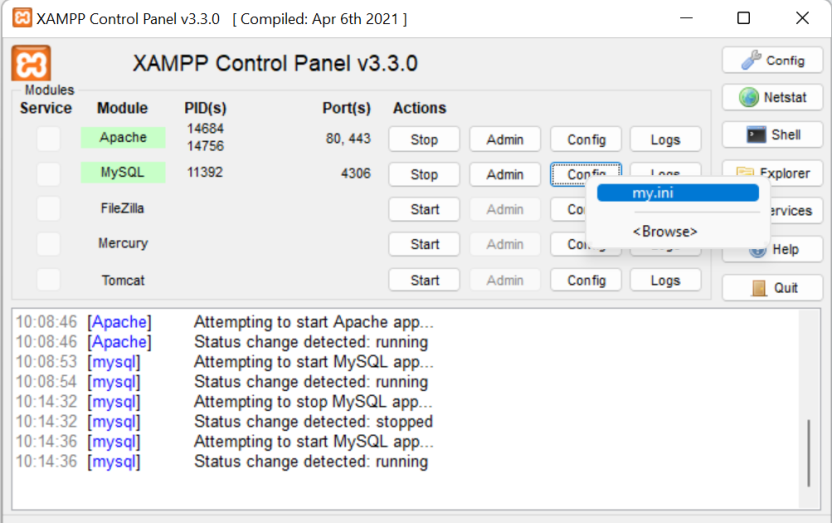
- Open XAMPP control panel
Click MySQL -> Config -> my.ini (and you can also find out this file inside: xampp\mysql\bin)
- Add below line under [mysqld] tag
skip-grant-tables
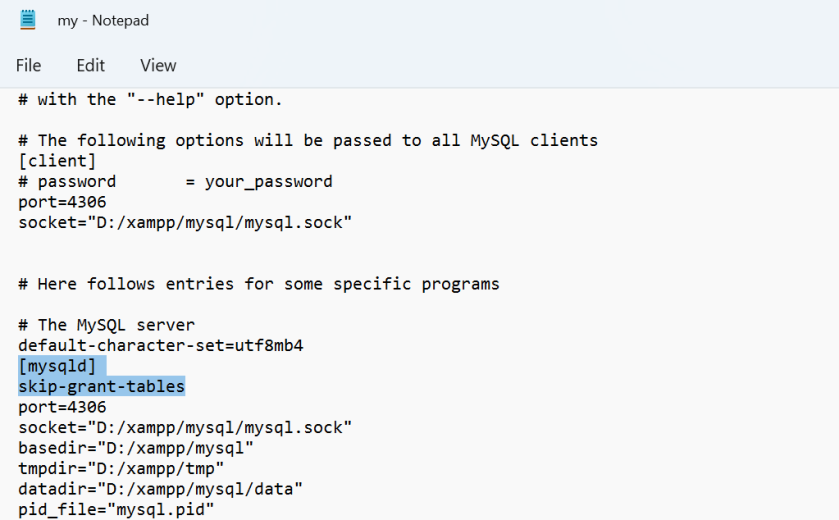
- Save my.ini
- Restart MySQL server by pressing the STOP and START button
- Now visit http://localhost/phpmyadmin/ or http://127.0.0.1/phpmyadmin/
- Select mysql DB
- Repair the table named user by selecting checkbox then click on Repair table
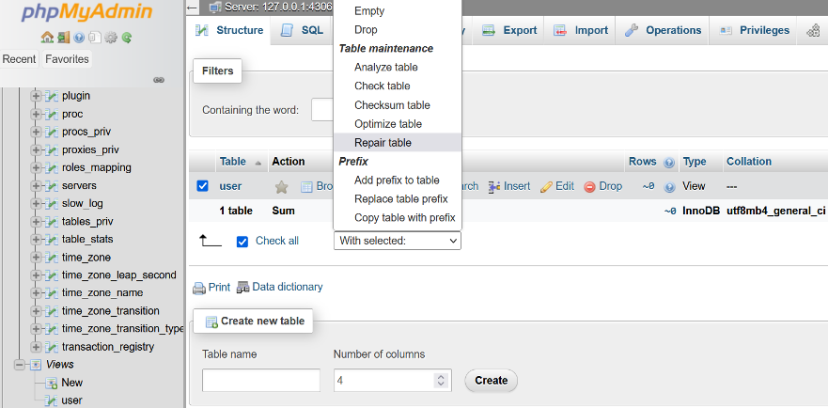
Note: If you want, now you can remove the line “skip-grant-tables” which was added in my.ini under [mysqld], Because it is not required if you followed all steps.
I Hope, it could solve your problem.